
October 28, 2026
Drupal updates with GitHub Actions, three years on
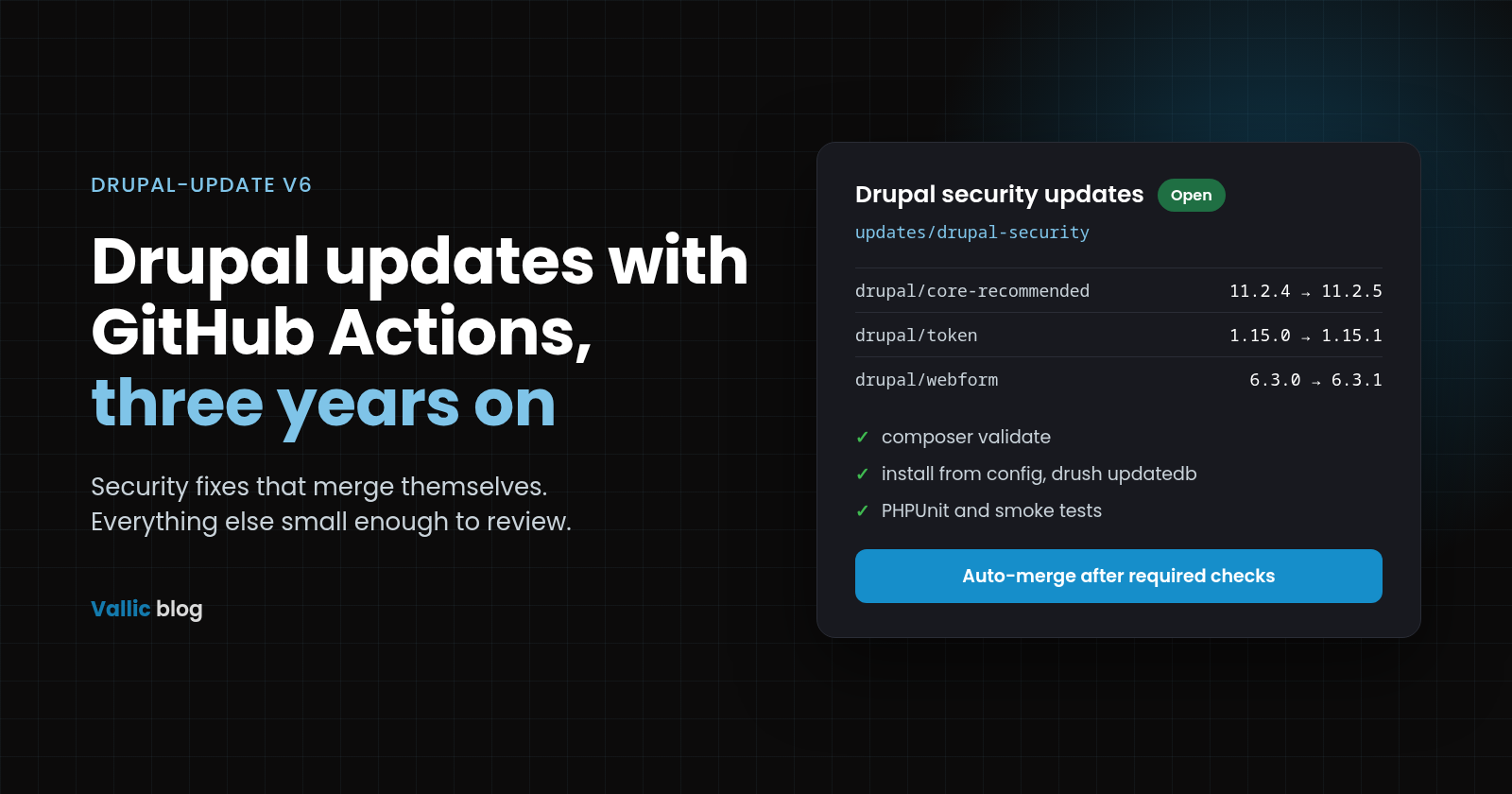
In October 2023 we wrote about automating Drupal updates with GitHub Actions. The idea was simple: a scheduled workflow runs Composer, finds outdated drupal/* packages and opens a pull request with a Markdown summary.
The idea held up. The script behind it aged less well. It was Bash glued to jq, sed and grep, it ignored PHP platform requirements, and it offered one blunt choice: safe updates or everything.
drupal-update is the rewrite. v5 turned it into a single Go binary, and v6.0.0, released on 23 October 2026, is the version this post describes. It still ships as the same GitHub Action. This post covers what changed, how to set it up, and how to build better automation around it.
Where the 2023 version fell short
The original script read composer outdated drupal/*, then ran composer update or composer require once per package with -W --ignore-platform-reqs. A Markdown table recorded what happened to each project. It worked, and people used it, which is how we learned where it broke.
- Platform requirements were ignored. A runner on the wrong PHP version could produce a lock file production could not install.
- Two modes only.
semver-safe-updatefollowed Composer's own classification;alltook everything, majors included. There was no security-only run and no "latest minor, same major". - Constraints were overwritten. In
allmode a major update rancomposer require drupal/token:2.0.0, which replaced^1.13with an exact pin. Users noticed the caret disappearing (#13). - One pull request for everything. Core and fifty contrib modules landed in the same diff (#11).
- Composer had to run on the host. Projects on DDEV or Docker Compose had no clean way in (#12).
- Failures were guessed. Patch failures were found by grepping Composer's output for patch URLs, and the exit code was read after the fact.
Each fix was possible in Bash. Together they were not something we wanted to maintain in Bash.
What drupal-update does now
The rewrite replaces "safe or everything" with modes named for what you actually want from a run. Each one decides which Drupal packages to move, and how far.
security: Drupal packages flagged bycomposer audit, including transitive ones; core moves as one release group.composer.jsonstays unchanged, thoughsecurity_update_pinnedmay move an exact pin within its minor. Typical use: daily, merged automatically.minor: the latest stable release inside each direct package's current major. The constraint style is kept:^1.13becomes^1.16.0. Typical use: a weekly review PR.major: the latest stable release in a newer major, with core coordinated acrossrequireandrequire-dev. Constraints are rewritten as inminor. Typical use: planned upgrades, such as Drupal 12.semver-safe-update: Composer's own semver-safe classification, withcomposer.jsonunchanged. The v4 default, kept for compatibility.all: everything Composer can move, with constraints rewritten. The v4 behaviour; prefermajor.nuclear: deletes the lock and reinstalls, up to eight attempts, and may relax requirements to*. For rescuing a broken project, by hand.
Every explicit mode follows the same safety rules:
- Back up first.
composer.json,composer.lockandpatches.lock.jsonare copied before anything changes, and restored if the run fails. The backup directory ignores itself in Git, so it never lands in a PR. - Change as little as possible. Updates run with Composer's
--minimal-changes, so unrelated dependencies stay put.composer.jsonis edited in place: only the constraints that move are rewritten, and key order, indentation and escaping stay as you wrote them. - Verify the result. Security runs audit again afterwards; minor and major runs check that each package resolved to the version chosen.
- Respect the platform. PHP and extension requirements are enforced. If the runner's PHP is wrong, the run fails instead of producing a lock production cannot install.
- Report, then fail. The Markdown summary is always written, then a failed run exits non-zero so CI shows red. The report is the only thing on stdout; progress and errors go to stderr.
A few options cover the cases we kept hitting on client projects:
update_scope(core,contrib) andupdate_packagessplit one big PR into several small ones.composer_command: ddev composerruns Composer inside your containers. It never goes through a shell, so nothing in the string is expanded.skip_patchedleaves patched modules alone.patch_failure: skiptries them, and if a patch stops applying, drops that one module and retries the rest. Both understand composer-patches 1.x and 2.x, including patches kept inpatches.jsonor defined by dependencies.install_existing_config,updatedbandexport_configinstall your site from committed config on a throwaway database, upgrade, rundrush updatedb, and export config. Config changes made by update hooks land in the same PR as the code that made them.- The
changedandreportoutputs tell later steps whether anything moved and what, without parsing logs.
The binary has no GitHub dependency. Releases ship for Linux, macOS and Windows on amd64 and arm64, with SHA-256 checksums and a build provenance attestation you can check with gh attestation verify. The same commands run in GitLab CI, Bitbucket Pipelines or on your laptop, and the GitHub Action runs that same verified binary instead of compiling it on every run.
Setting it up
We run three workflows per project, not one. Security fixes merge themselves; everything else waits for a person. The repository ships each of them as a ready-to-copy file in examples/.
- Security: daily at 20:00 UTC, mode
security, merged automatically after required checks. - Minor and patch: Fridays at 04:31 UTC, mode
minor, reviewed. - Core major: Fridays in June, August and December of even years, mode
majorwith scopecore, reviewed. - Manual: on demand, any mode, reviewed.
The schedules follow the Drupal core release cycle. Security windows are normally the third Wednesday of the month, but advisories can land any day, so the security check runs daily. The minor check runs on Friday, after the first-Wednesday bugfix window.
1. Create a token
Pull requests opened with the default GITHUB_TOKEN do not trigger your other workflows, so your tests would never run on them. Use a fine-grained personal access token instead, with Contents and Pull requests set to read and write on the site repository. Store it as the repository secret DRUPAL_UPDATE_TOKEN. A GitHub App token generated inside the job works too.
2. Add the workflow
This is the security workflow, trimmed to its essentials:
name: Drupal security updates
on:
  workflow_dispatch:
  schedule:
    - cron: '0 20 * * *'
permissions:
  contents: read
concurrency:
  group: drupal-dependency-updates
  cancel-in-progress: false
jobs:
  update:
    runs-on: ubuntu-latest
    steps:
      - uses: actions/checkout@v7
        with:
          token: ${{ secrets.DRUPAL_UPDATE_TOKEN }}
      - uses: shivammathur/setup-php@v2
        with:
          php-version: '8.4' # Match production.
          tools: composer:v2
          coverage: none
      - id: update
        uses: valicm/drupal-update@v6.0.0
        with:
          update_type: security
      - run: |
          composer validate --no-check-publish
          composer check-platform-reqs --lock
      - id: pr
        uses: peter-evans/create-pull-request@v8
        with:
          token: ${{ secrets.DRUPAL_UPDATE_TOKEN }}
          branch: updates/drupal-security
          title: Drupal security updates
          commit-message: Drupal security updates
          body: ${{ steps.update.outputs.report }}
          delete-branch: true
      - if: steps.pr.outputs.pull-request-number != '' && steps.pr.outputs.pull-request-operation != 'closed'
        env:
          GH_TOKEN: ${{ secrets.DRUPAL_UPDATE_TOKEN }}
          PR: ${{ steps.pr.outputs.pull-request-number }}
          SHA: ${{ steps.pr.outputs.pull-request-head-sha }}
        run: gh pr merge "$PR" --auto --squash --match-head-commit "$SHA"
A few details matter more than they look:
- One concurrency group for all three workflows. Two runs never edit the same lock file at once.
- A stable branch name per workflow. The next run updates the open PR instead of opening a second one.
--match-head-commit. Auto-merge applies only to the commit the workflow pushed, not to anything added later.- Required checks on the base branch. Auto-merge waits for them. Without them, a mergeable PR merges at once.
- The PHP version. It must match production, because platform requirements are now enforced.
For the weekly run, copy the file, set update_type: minor, drop the auto-merge step and use a different branch.
Building better integrations around it
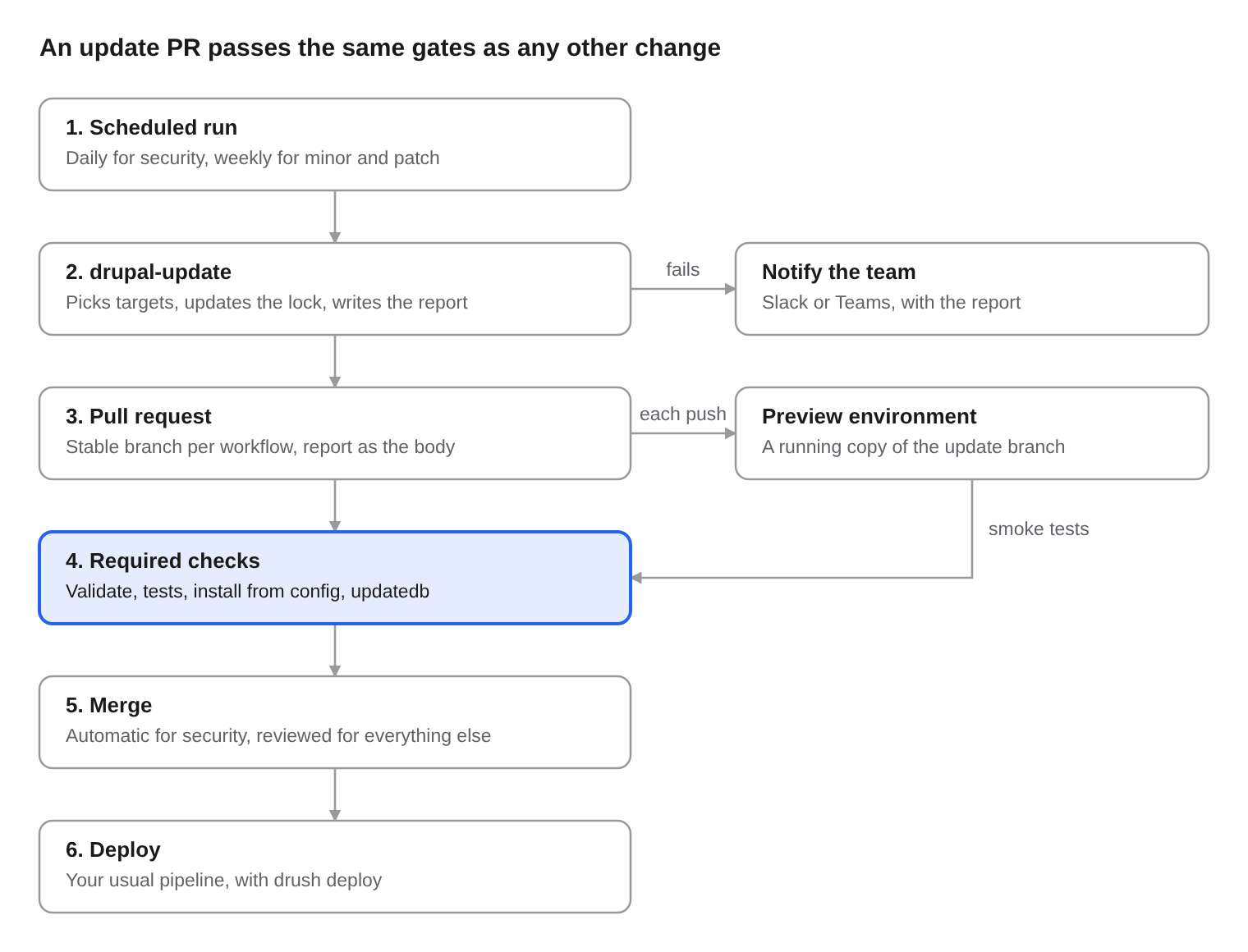
The updater's job ends at a changed lock file and a report. What makes an update safe to merge is yours to plug in around it, and the useful places are the same on every project. An update PR passes the same gates as any other change:
- Scheduled run. Daily for security, weekly for minor and patch.
- drupal-update. Picks targets, updates the lock, writes the report. If it fails, it notifies the team (Slack or Teams, with the report).
- Pull request. A stable branch per workflow, with the report as the body. Each push can also deploy a preview environment, a running copy of the update branch, for smoke tests.
- Required checks. Validate, tests, install from config,
updatedb. - Merge. Automatic for security, reviewed for everything else.
- Deploy. Your usual pipeline, with
drush deploy.
drupal-update owns step 2. Everything else is ordinary CI, which is why the same pattern works on any platform.
Test the PR like any other change
- Make checks required. Auto-merge waits only for required checks. At minimum run
composer validate,composer check-platform-reqs --lock, your PHPUnit suite and static analysis. - Boot the site. Install from committed config, run
drush updatedb, thendrush config:status. Output there means an update hook changed config you have not exported; the Drush options above handle that for you. - Request a few pages. A smoke test of the front page, the login form and one node per content type catches most fatal errors. Visual regression with Playwright or BackstopJS catches most of the rest.
Give each update branch a running copy
A reviewer who can click through the updated site reviews better than one reading a lock file diff. Any platform that builds a branch can do this.
On Vallic, a development environment tracks one branch and can deploy on every push. Point one at updates/drupal-minor and copy production's database into it once, with your sanitization rules. Each weekly run then deploys there and runs your deploy steps, usually drush deploy, so update hooks meet real data before anyone merges. The deployment shows as a Vallic / environment check on the commit. Deleting a branch on GitHub deletes its environment, so keep update branches alive between runs.
Tell people
A failed run should reach a person, not sit in the Actions tab. The report is exported even when the run fails, so a final step can forward it:
      - name: Tell the team
        if: failure()
        env:
          SLACK_WEBHOOK_URL: ${{ secrets.SLACK_WEBHOOK_URL }}
          RUN_URL: ${{ github.server_url }}/${{ github.repository }}/actions/runs/${{ github.run_id }}
        run: |
          jq -n --arg text "Drupal update failed in $GITHUB_REPOSITORY: $RUN_URL" '{text: $text}' |
            curl -fsS -X POST -H 'Content-Type: application/json' --data @- "$SLACK_WEBHOOK_URL"
For the PRs themselves, create-pull-request takes labels, reviewers and assignees. Label security PRs so they stand out, and route minor updates to whoever looks after the site.
Run it outside GitHub
The binary needs PHP, Composer and the project, nothing else. On GitLab, a scheduled pipeline can open the merge request with push options:
drupal-security-updates:
  image: $DRUPAL_CI_IMAGE # PHP and Composer matching production, plus git, curl and bash.
  rules:
    - if: $CI_PIPELINE_SOURCE == "schedule"
  script:
    - curl -fsSLO https://raw.githubusercontent.com/valicm/drupal-update/v6.0.0/drupal-update.sh
    - DRUPAL_UPDATE_VERSION=v6.0.0 bash drupal-update.sh -t security -o report.md
    - git diff --quiet composer.lock && exit 0
    - git config user.name "Drupal updates"
    - git config user.email "updates@example.com"
    - git checkout -B updates/drupal-security
    - git commit -m "Drupal security updates" composer.json composer.lock
    - git push --force -o merge_request.create -o merge_request.target="$CI_DEFAULT_BRANCH" -o merge_request.title="Drupal security updates" "https://oauth2:${UPDATE_TOKEN}@${CI_SERVER_HOST}/${CI_PROJECT_PATH}.git" HEAD:updates/drupal-security
The wrapper downloads the pinned release and checks its SHA-256 before running it. Bitbucket Pipelines and Jenkins follow the same shape: run the binary, commit the two Composer files, open the request with the platform's own API.
Leave the rest to Dependabot or Renovate
drupal-update only targets drupal/* packages. Keep Dependabot or Renovate for GitHub Actions versions, your theme's npm packages and non-Drupal Composer packages. Ignore drupal/* there, so the two tools never open competing PRs for the same module.
Wrapping up
Three years ago the pitch was "stop updating Drupal by hand". It still is. What changed is trust: security fixes are now safe to merge without a person, and everything else arrives small enough to review in minutes.
Coming from an older version? Change the tag to @v6.0.0, pick an explicit mode, and set PHP to match production. The migration notes for v4 to v5 and v5 to v6 list every behaviour change.
- drupal-update on GitHub, with example workflows and a usage guide
- Drupal core release schedule
- Our 2023 post
Issues and pull requests are welcome. Split PRs, container Composer and constraint preservation all started as someone else's issue.
Host it on Vallic Cloud
Your Drupal, WordPress or Laravel sites on machines no other customer shares, in datacentres on six continents, deployed from Git. One console for environments, backups, your team and support. Built and run by developers, for developers.